





Want to download iTunes MP3 Converter for Free
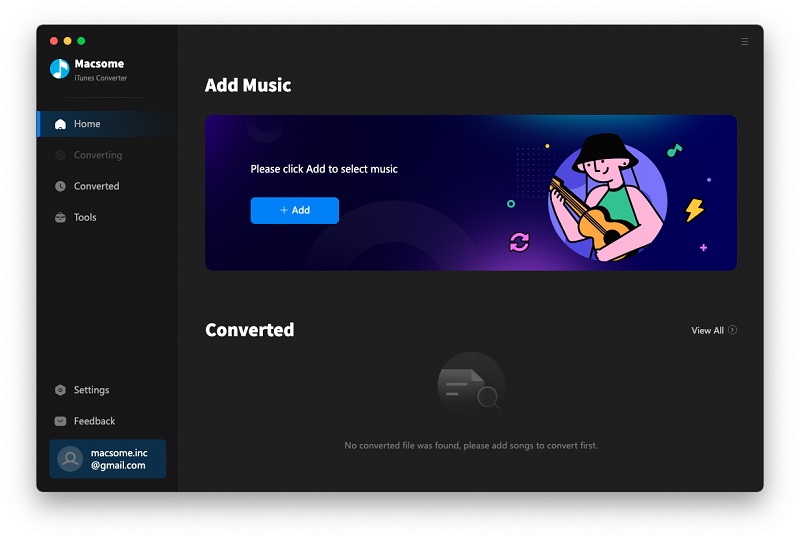
Are you trying to find a powerful iTunes MP3 Converter to convert iTunes music files? Well, here is the right place for you. Macsome iTunes Converter is such an iTunes to MP3 Converter, designed exclusively for you to record the audios and music you are playing and convert iTunes to MP3 format.
Even the Audiobook files, iTunes Music Converter can do well with converting any of the iTunes-supporting audio files to MP3.
Actually, iTunes MP3 Converter supports any audio files which can be played normally on iTunes, that is to say, if you can play them on iTunes normally, you can use the software to convert them. What a cool function.
Besides, Macsome iTunes Converter supports batch conversion, and the converted files can keep their original ID tags information and you can edit them as you wish. Why not free download the trial version of this practical and easy-to-use iTunes MP3 Converter, and have a try to decode iTunes to MP3.
Windows Version Download Mac Version Download
Key features of iTunes MP3 Converter
Note: you can free download the trial version of Macsome iTunes Converter. With the trial version, users can only convert 1 minute of each iTunes audio files. And you can eliminate this limitation by purchasing a full version.
All-in-on Audio Recorder For Free Download. Macsome iTunes Converter is a powerful Apple Audio Recorder which can legally and tactfully download the music files by recording audio files in the background silently and encoding to MP3 format. Why not apply this trustworthy Apple Audio Recorder.
Competent MP3 Converter. Macsome iTunes Converter is a competent MP3 Converter. No matter iTunes audio files, all can be well decoded to MP3 format.
So with this multi-functional MP3 Converter, you can freely convert M4P to MP3, M4A to MP3, M4B to MP3, WAV to MP3, Audio AA to MP3, AAC to MP3 and all the other iTunes supporting audio formats to MP3. Macsome iTunes Converter is really competent, isn't it?
- Referral reading: How to Convert Apple Music to MP3
All-in-one iTunes music to MP3 Converter
iTunes to MP3 Converter. Macsome iTunes Converter is a marvellous iTunes MP3 Converter. Whatever audio files which can be played on iTunes, you can convert them to MP3 format as you like
Flexibly Edit ID Tags Information. When finishing converting iTunes music and audio files you like, you can edit their ID tags information, such as Title, Artist, Album, Album Artist and the like flexibly. Macsome iTunes Converter provides you with lots of convenience and freedom.
Easy to use. Don't worry that you know little about this field. Macsome iTunes Converter is designed exclusively for the general public, and any one can handle this user-friendly iTunes MP3 Converter.
Fast Speed and CD High-quality Output Audio. Practice has proved that Macsome iTunes Converter assures you high-quality output audio files, and the converting speed is quite fast.
Macsome iTunes Converter can withstand trials which has been proved by time and its users.
Want to convert iTunes to MP3? Try Macsome iTunes Converter, and this wonderful iTunes MP3 Converter will never let you down. Why not free download this well-done iTunes Converter?
Windows Version Purchase Online Mac Version Purchase Online


 English
 日本語
日本語