


 Russell Doe
If you've ever wanted to save tracks from Tidal without switching between apps or dealing with complicated converters, a Tidal Telegram Bot might be just what you need. These bots let you search for tracks, submit Tidal links, and receive audio files directly in your Telegram chat. However, features, supported formats, and audio quality vary by bot, and FLAC downloads aren't always available.
In this guide, we'll explore how Tidal Telegram Bots work, review some popular options, and show you how to get started. We'll also introduce an alternative for downloading Tidal music in lossless quality.
- Part 1. What Is a Tidal Telegram Bot?
- Part 2. Best Tidal Telegram Bots We Checked
- Part 3. How to Use a TIDAL Telegram Bot (Step by Step)
- Part 4. What Audio Quality Do Tidal Telegram Bots Really Deliver?
- Part 5. Why Is My Tidal Telegram Bot Not Working?
- 👉 Part 6. A Reliable Tidal Telegram Bot Alternative: Macsome Tidal Music Downloader
- Part 7. FAQs about Tidal Telegram Bots
Part 1. What Is a Tidal Telegram Bot?
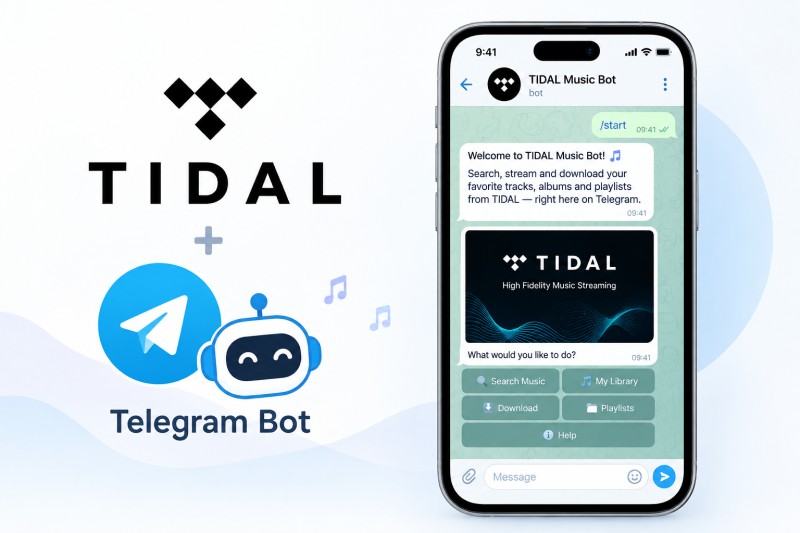
A Tidal Telegram Bot is a third-party bot that runs inside Telegram and lets users search for Tidal tracks, albums, or playlists and, in many cases, retrieve downloadable audio files. Most of the time, you simply paste a Tidal link or type a song name, and the bot replies with whatever files it can provide.
These bots are built by independent developers and have no official connection to Tidal or Telegram. They work entirely through Telegram’s chat interface, so you don’t need to open another app or website. Features, supported links, and download limits differ from one bot to another.
Some claim to offer high-quality audio, full albums or playlists, and basic metadata such as titles, artists, and cover art. In practice, the actual quality and formats available depend on the specific bot and its sources. Support for FLAC or Tidal Max (HiRes) audio should never be assumed without checking first.
Things to Consider Before Using a Bot:
High-resolution (Max/HiRes) audio quality should not be assumed without verification. Before sharing any links or downloading files, check the bot’s reliability, its privacy practices, and whether using it complies with Tidal's terms of service and copyright laws.
Part 2. Best Tidal Telegram Bots We Checked
Several Telegram bots and open-source projects advertise features for searching and downloading Tidal music. However, their capabilities, audio quality, and availability can vary. Here are five options worth knowing about, along with their key features and limitations.
#1 @HiFiTideBot
Bot link: https://t.me/HiFiTideBot
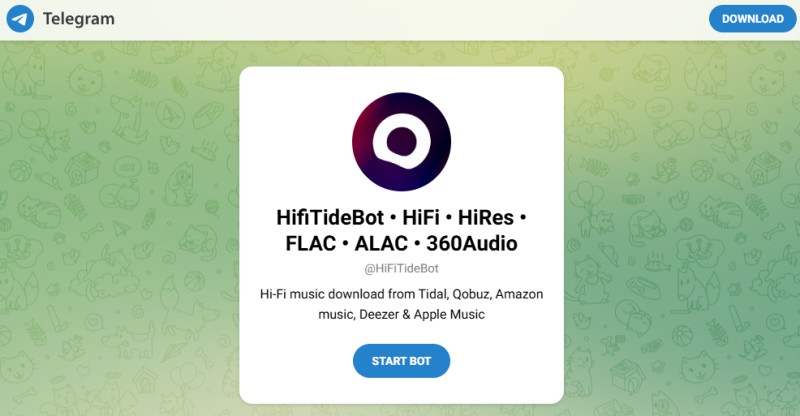
@HiFiTideBot (also known as Music Hunters) is a popular multi-platform Telegram music downloader. It supports Spotify, Deezer, Tidal, Qobuz, Apple Music, SoundCloud, and more. Users simply paste a link, search by song or artist name, or use inline mode to receive tracks in MP3 (up to 320 kbps) or FLAC. With hundreds of thousands of monthly users, it is valued for speed, ease of use, and solid metadata support, making it one of the most convenient free options currently available.
Pros:
- Focuses on high-fidelity audio and advertises lossless FLAC downloads.
- Supports multiple music platforms, according to its public description.
- Offers a convenient way to search for tracks and albums.
- Works through Telegram without a separate desktop interface.
Cons:
- An unofficial third-party service with no affiliation with the supported platforms.
- Availability and download reliability may fluctuate.
- Actual audio quality and supported formats may vary.
- Public documentation and independent reviews may be limited.
#2 @MusicHuntersbot
Bot link: https://t.me/MusicsHuntersbot
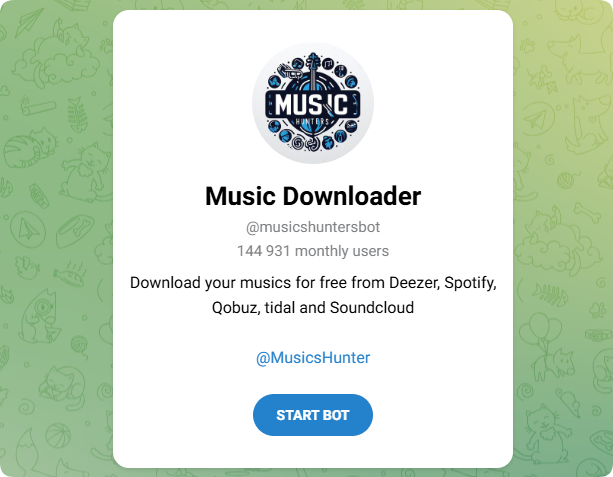
@MusicHuntersbot, also known as Music Hunters, is a multi-platform Telegram music downloader. It advertises support for services such as Spotify, Deezer, Tidal, Qobuz, Apple Music, and SoundCloud. Depending on its current features, users may be able to search by song or artist name or submit a music link to retrieve an audio file. Available formats, metadata, and playlist support should be verified before use.
Pros:
- Advertises support for a wide range of music platforms.
- May offer multiple audio formats and quality options.
- Supports convenient music searches or link-based requests, where available.
- Provides a Telegram-based workflow without a separate desktop application.
- May include track metadata and cover artwork.
Cons:
- Availability and response times may vary.
- FLAC output does not necessarily guarantee original lossless audio.
- Large playlist downloads and batch processing may be limited.
- Supported services and features may change without notice.
- Privacy, security, and copyright considerations apply.
#3 @LosslessMusicDownload_bot
Bot link: https://t.me/LosslessMusicDownload_bot
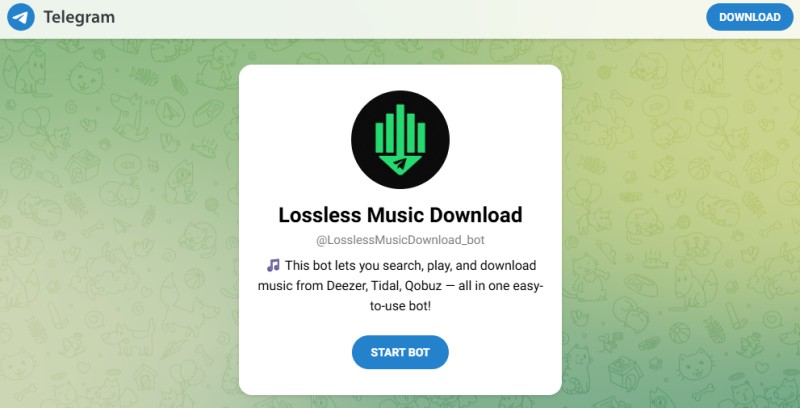
@LosslessMusicDownload_bot is a Telegram bot dedicated to lossless music downloads. As its name suggests, it prioritizes high-quality FLAC and other lossless formats for users who want better-than-MP3 audio. It allows searching and retrieving tracks with an emphasis on fidelity rather than the widest platform coverage. While detailed public information is limited compared to more popular bots, it appeals to audiophiles seeking clean, high-bitrate files delivered straight into Telegram chats for offline listening.
Pros:
- Appears to focus on lossless music downloads.
- May provide a straightforward search-and-download workflow.
- Could be worth exploring for users who prioritize audio quality.
- Offers a Telegram-based approach if the bot is available.
Cons:
- Limited public documentation and independent reviews.
- Tidal compatibility and supported audio formats are unclear.
- Availability and download reliability need to be verified.
- A FLAC file extension alone does not confirm genuine lossless quality.
- As with other unofficial bots, privacy and copyright risks should be considered.
#4 @DezAltyBot (DezAlty)
Bot link: https://t.me/DezAltyBot
GitHub: AmineSoukara/DezAlty-Bot
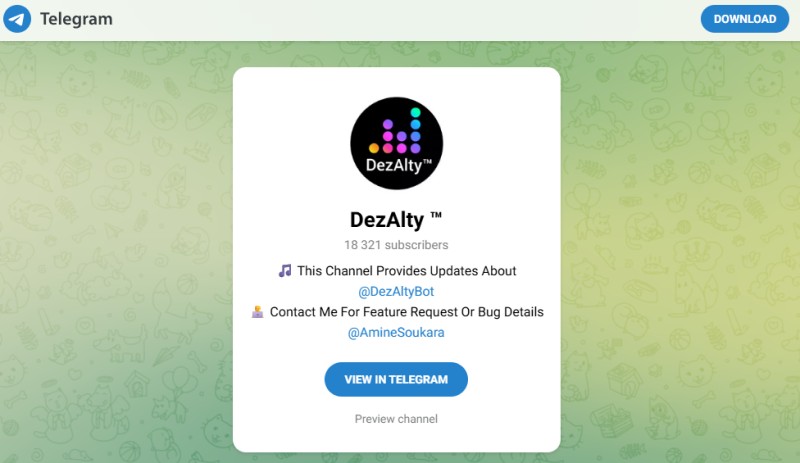
@DezAltyBot, also known as DezAlty, is a feature-rich all-in-one Telegram music bot developed by AmineSoukara. It supports searching and downloading tracks, albums, playlists, and shows from Deezer, Tidal, Qobuz, Spotify, Apple Music, Amazon Music, and YouTube. Users can choose multiple formats and qualities up to Master/MAX (24-bit / 192 kHz FLAC), download as individual files or ZIP, get lyrics (including synced LRC), use Shazam recognition, edit metadata/tags, convert links between platforms, and receive new-release alerts. The open-source project remains under active development.
Pros:
- Supports multiple platforms, including Tidal, Deezer, Qobuz, and Spotify.
- Offers high-quality audio options, including FLAC for supported sources.
- Supports track downloads and ZIP archives.
- Includes lyrics, song recognition, and metadata tools.
- Open-source code available on GitHub.
Cons:
- Features and stability may change during development.
- Some features may require premium access or have usage limits.
- Unofficial third-party bot, not affiliated with supported services.
- Download availability and audio quality vary by source.
- Potential privacy, copyright, and reliability concerns.
#5 @TidalMusic_DLbot
Bot link: https://t.me/TidalMusic_DLbot | Alternative link
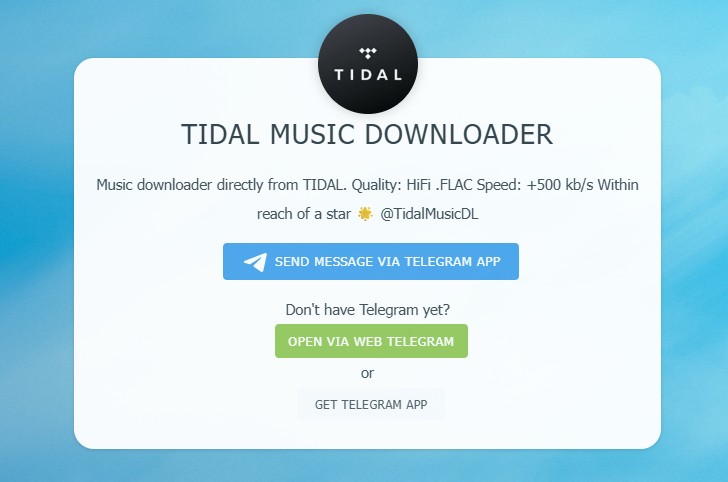
@TidalMusic_DLbot is a third-party Telegram bot designed primarily for downloading music from TIDAL. Based on the open-source Telegram-TidalMusicBot project, it supports tracks, albums, and playlists, with reported options for Max (24-bit) and FLAC (16-bit) audio. Depending on availability, it can also provide album artwork, metadata tags, lyrics, ZIP archives, and direct download links or Google Drive uploads.
Pros:
- Supports TIDAL downloads in Max (24-bit) and FLAC (16-bit), when available.
- Downloads tracks, albums, and playlists.
- Preserves album artwork, metadata, and lyrics.
- Offers inline search, ZIP archives, and direct download links.
- Based on an open-source project.
Cons:
- Primarily focuses on TIDAL; other platforms have limited support.
- Availability and stability may fluctuate.
- Downloads depend on source availability and rate limits.
- Some features may be outdated or unmaintained.
- Audio quality varies by track and source.
- Potential copyright, privacy, and reliability concerns.
Part 3. How to Use a TIDAL Telegram Bot (Step by Step)
Using a TIDAL Telegram bot is generally straightforward. Most bots allow you to search for songs, albums, or playlists, or download music by pasting a TIDAL link. While the exact commands and available options differ slightly between bots, the steps below will help you get started quickly.
Step 1. Download the official Telegram app from the App Store (iOS), Google Play (Android), or the official website (Desktop). Log in with your phone number if you don't already have an account.
Step 2. Choose a TIDAL Telegram bot from the list above and open its link in Telegram. Tap Start (or send /start) to activate the bot. Read any welcome message or list of commands the bot provides so you understand its basic features.
Step 3. Depending on the bot, you can search for music by entering a song title or artist name, or send a link to a TIDAL track, album, or playlist. Some bots also support inline searches directly within Telegram chats.
Step 4. Review the results the bot returns and select the correct track, album, or playlist. If multiple quality options are available (e.g., MP3 320 kbps, FLAC, Max/Hi-Res), choose your preferred format. Note that high-resolution options such as FLAC or Max may not be available for every track.
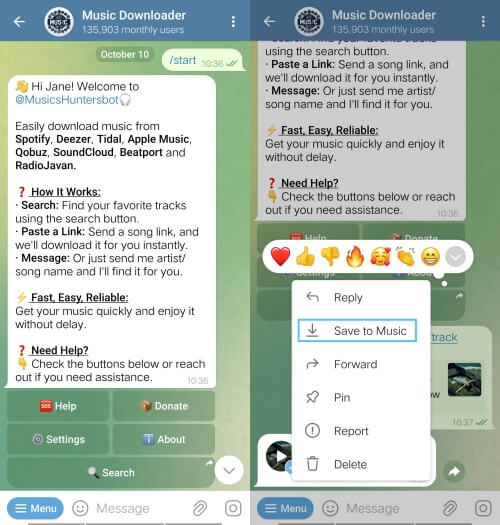
Step 5. Follow the bot's instructions to start the download. You will usually receive the audio file directly in the chat, a ZIP archive for albums/playlists, or an external download link. Larger albums and playlists may take longer to process.
Step 6. Once the download finishes, check the files for correct metadata (title, artist, album artwork, and format). If a track fails or is unavailable, try a different bot from the list or wait a short time and try again - availability can change.
Part 4. What Audio Quality Do Tidal Telegram Bots Really Deliver?
Can Tidal Telegram bots really deliver lossless or high-resolution audio? Some bots advertise MP3, FLAC, or even Tidal Max quality, but the actual results depend on the bot, the available audio source, and the individual track. A file's format or filename alone does not guarantee that it contains the original audio quality.
Typical Audio Quality in Practice
Depending on the bot and its available sources, you may encounter several audio formats and quality levels:
- MP3 (up to 320 kbps) - A lossy format that offers relatively small file sizes and broad device compatibility. However, a 320 kbps label does not guarantee that the audio was encoded directly from a high-quality source.
- FLAC (16-bit / 44.1 kHz) - This can provide lossless, CD-quality audio when the file comes from a genuine lossless source. Support and availability vary by bot and track.
- Hi-Res FLAC (up to 24-bit / 192 kHz) - Tidal Max can provide Hi-Res FLAC for supported tracks, but a Telegram bot may not be able to retrieve the same version or resolution. Actual availability depends on its source and implementation.
Keep in mind that Tidal Max is an audio-quality tier, while FLAC is an audio format. Not every track available in Max is necessarily Hi-Res, and a bot claiming to support FLAC does not automatically provide the original Tidal lossless stream.
Factors That Affect Download Quality
Several factors can influence the quality of the files you receive:
- The specific bot - Different bots use different sources and downloading methods, so their supported formats and output quality can vary.
- The individual track - The available version and resolution may differ from one song to another, even within the same album.
- Source availability - If a bot cannot access the expected source, it may fail to retrieve the track or return a different version.
- Bot maintenance and restrictions - Changes to third-party services, source access, or bot infrastructure can affect download reliability and format availability.
Important Limitations to Keep in Mind
- Metadata may be incomplete. Track titles, artist names, album information, and cover art may be missing or incorrect.
- Album and playlist downloads may be less reliable. Downloading multiple tracks can take longer and may result in incomplete downloads or individual failures.
- The source may not be the original Tidal audio. Some bots may retrieve matching tracks from alternative sources, so the downloaded file may differ from the version available on Tidal.
- File specifications do not prove authenticity. A high sample rate, large file size, or FLAC extension alone cannot confirm that a file contains genuine lossless or Hi-Res audio.
Bottom line: Tidal Telegram bots can be convenient for finding music, but their advertised audio quality should be treated with caution. Check the available formats and the downloaded files rather than assuming that every FLAC or Max label guarantees genuine lossless or Hi-Res audio.
Part 5. Why Is My Tidal Telegram Bot Not Working?
If your Tidal Telegram bot is not responding or fails to download music, the problem could be related to server availability, source access, unsupported links, or temporary restrictions. Here are the most common causes and what you can try to fix them.
Common Reasons Why Tidal Telegram Bots Fail
1. The Bot Is Temporarily Offline or Under Maintenance
Some bots rely on third-party servers that may experience downtime, maintenance, or performance issues. As a result, the bot may stop responding or fail to process download requests.
Solution: Wait a while and try again. You can also check the bot's announcements or try another bot if the service remains unavailable.
2. The Music Source Is Unavailable or Has Changed
Third-party Telegram bots are not official Tidal download tools. Their access to music sources may depend on unofficial integrations or other services, which can stop working when those services change their systems or access rules.
Solution: Check whether the bot has posted any service updates. Trying another bot may help, but alternative sources and supported formats can vary, so successful downloads are not guaranteed.
3. The Track, Album, or Playlist Is Not Supported
A bot may not be able to retrieve every track. Availability can vary by release, region, source, or the bot's current capabilities. Album and playlist requests may also fail even when individual tracks work.
Solution: Test the bot with another track or submit a single-track link instead of a full album or playlist. If other tracks work, the problem may be specific to the content you requested.
4. The Link or Command Is Incorrect
Some bots accept only supported Tidal links, while others also offer music search by title or artist. An unsupported URL or incorrect command may prevent the bot from recognizing your request.
Solution: Send /start or /help to view the bot's instructions. Then try a supported Tidal link or search for the track by name, if that feature is available.
5. You Have Reached a Usage Limit
Some bots impose limits on download frequency, file size, or the number of requests a user can make. If you send too many requests in a short period, further downloads may be temporarily restricted.
Solution: Wait before submitting another request and check whether the bot explains any usage limits. Avoid sending repeated requests while a download is still processing.
6. Telegram or Your Network Is Experiencing Problems
Connection issues, regional network restrictions, or a temporary Telegram service disruption can prevent you from opening a bot or receiving its responses.
Solution: Check your internet connection, reopen Telegram, and try another network if possible. You can also check Telegram's official channels for service announcements.
What Should You Do If the Bot Still Doesn't Work?
If the bot continues to fail after these checks, it may no longer be maintained or its music source may be unavailable. Consider trying another bot from the list, but keep in mind that third-party bots can change or stop working at any time. Never provide your Tidal password or Telegram verification code to an unofficial bot.
Part 6. A Reliable Tidal Telegram Bot Alternative: Macsome Tidal Music Downloader
When Tidal Telegram bots stop working, go offline, or deliver inconsistent audio quality, a dedicated desktop tool may be a more convenient alternative. Macsome Tidal Music Downloader lets you download individual tracks, albums, and playlists, with support for HiFi and Master (Max) quality, depending on the available source and track. You can keep the available audio quality or convert music to MP3, AAC, FLAC, WAV, AIFF, or ALAC. It also supports batch downloads and preserves ID3 tags, including track title, artist, album, track number, disc number, year, and album artwork. With support for both the official Tidal desktop app and Tidal web player, it offers a flexible way to manage your music downloads.
Key Features of Macsome Tidal Music Downloader
- Download individual Tidal tracks, full albums, and playlists in batches.
- Convert Tidal music to MP3, AAC, WAV, FLAC, AIFF, and ALAC.
- Preserve ID3 tags and album artwork to keep your music library organized.
- Download music with the available audio quality preserved.
- Support both the Tidal desktop app and Tidal web player.
How to Download Tidal Music Without a Tidal Telegram Bot
Step 1. Set the Output Format and Quality
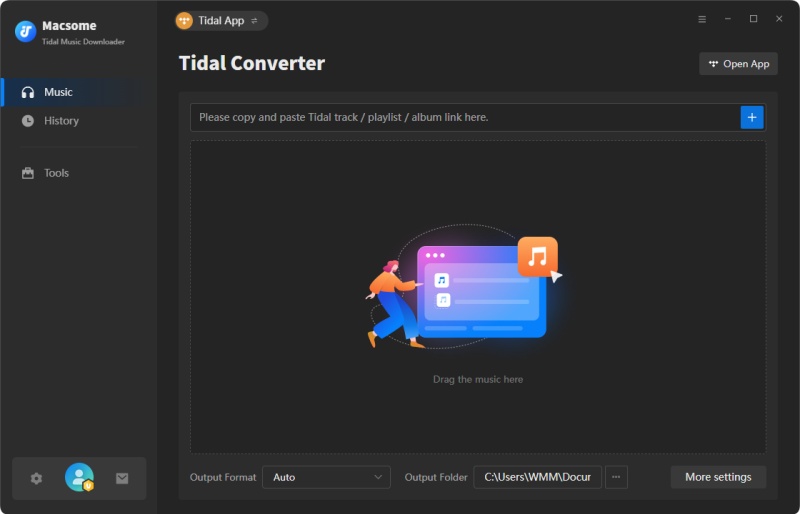
Launch Macsome Tidal Music Downloader after installation. Choose Web Player Mode or App Mode, depending on your needs, and sign in to your Tidal account. Web Player Mode is a convenient starting point for browsing and selecting music.
Click the Settings icon in the bottom-left corner to choose an output format, including MP3, AAC, WAV, FLAC, AIFF, or ALAC. You can also adjust the bit rate and sample rate to configure the output quality.
Step 2. Add Tidal Tracks, Albums, or Playlists
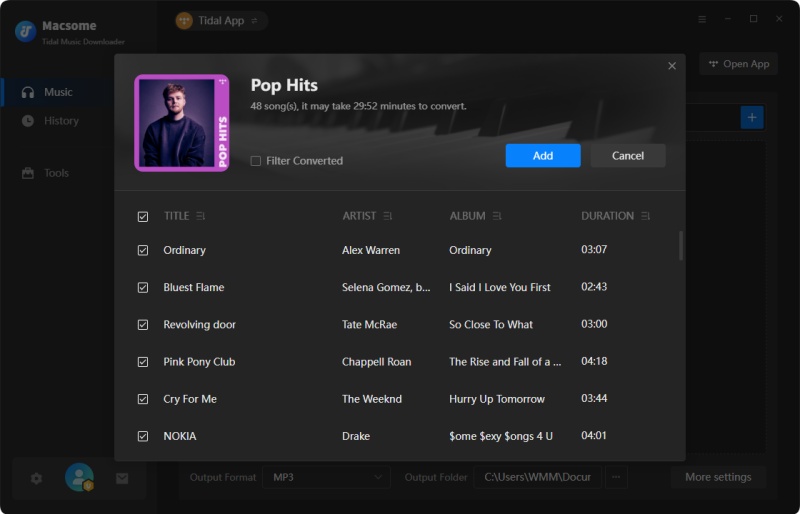
In the Tidal Web Player, browse or search for the tracks, albums, or playlists you want to download. Open your selection and click Click to add, then select Add to load the songs into the conversion list. To download more music in one batch, click Add More and select additional content.
Step 3. Download and Find Your Tidal Music
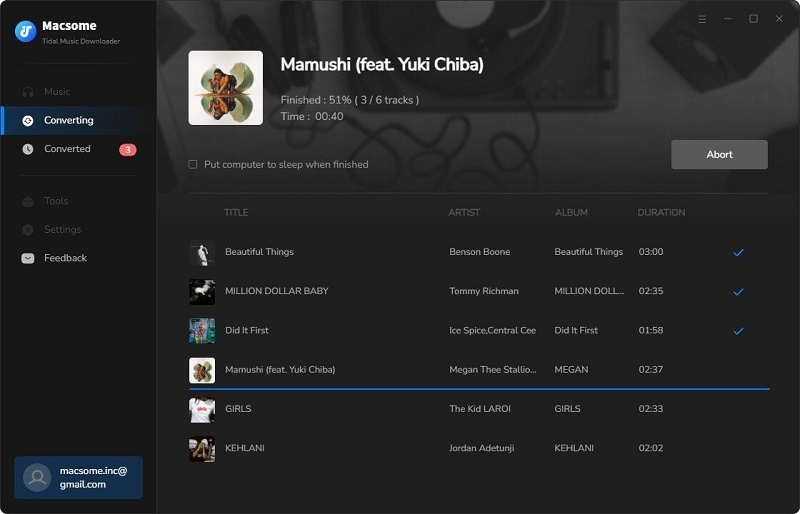
Click Convert to start processing the selected tracks. Macsome will save the downloaded files in your chosen format and output folder. Once the process is complete, open the History tab to view your downloads, then click the Folder icon beside a track to locate the saved file.
Part 7. FAQs about Tidal Telegram Bots
- Is a Tidal Telegram Bot Safe?
- Not all Tidal Telegram bots are safe. Some may contain suspicious links, display misleading download buttons, or request sensitive information. Avoid bots that ask for your Tidal password, never share verification codes, and be cautious when downloading files from unknown sources. Since these are third-party services, their security and privacy practices may vary.
- Are Tidal Telegram Bots Free?
- Most Tidal Telegram bots are free to use, allowing users to search for tracks, albums, or playlists and download audio without paying a subscription fee to the bot. However, some bots may impose usage limits, require donations, or offer paid features. Availability and restrictions vary by bot, and free access does not guarantee lossless audio quality or uninterrupted service.
- Are Tidal Telegram Bots Legal?
- The legality of using a Tidal Telegram bot depends on how it accesses, downloads, and distributes music, as well as the copyright laws in your country. Downloading copyrighted tracks without authorization or redistributing them may violate copyright law. Tidal's terms also restrict unauthorized copying, ripping, and redistribution of its content. Check the applicable laws and Tidal's Terms and Conditions before using a bot.
- Do I Need a Tidal Subscription to Use a Telegram Bot?
- Not necessarily. Some Tidal Telegram bots may let you search for tracks or process Tidal links without requiring a subscription, while others may require account authentication or access to a paid service. Requirements vary by bot, and a bot's ability to retrieve a track does not guarantee that the download is authorized or available in its original audio quality.
- Can My Tidal Account Get Banned for Using a Telegram Bot?
- There is a risk if a bot's operation or your use of it violates Tidal's terms. Tidal reserves the right to restrict, suspend, or terminate accounts for violations, including unauthorized use of its content. The exact risk depends on the bot and how it is used. To protect your account, avoid sharing login credentials with third parties and do not use tools that bypass Tidal's security measures or access restrictions.
Conclusion
Tidal Telegram Bots remain a popular option for users who want quick music downloads without leaving the app. Some bots can handle individual tracks and may provide FLAC files, but performance varies widely. Audio quality is not always consistent, larger downloads may fail, and bots can suddenly go offline. While they can be convenient for occasional use, users who regularly download TIDAL music may prefer a more reliable solution. A dedicated desktop tool like Macsome Tidal Music Downloader offers a more stable workflow, preserves track metadata, and supports lossless audio formats for users who need greater control over their downloads.
Note: The free trial version of Macsome Tidal Music Downloader allows you to convert one minute of each song. You can buy the full version to unlock this limitation and enable all its features.