


Add SoundCloud to Rekordbox in 2026 (Offline & Free Methods)
 Belinda Raman
- Feb. 03, 2026
- General, Music One Tips
Rekordbox is one of the most widely used DJ software platforms, known for its powerful music management, beat analysis, and live performance features. SoundCloud, meanwhile, remains a key source of fresh and exclusive DJ content. As a result, SoundCloud to Rekordbox has become a popular workflow for DJs who want to mix underground tracks, remixes, DJ edits, and independent releases directly inside Rekordbox.
However, importing SoundCloud music into Rekordbox is not always straightforward, especially when offline access, full library control, or avoiding subscription limitations is required. This includes scenarios in which DJs want to use SoundCloud tracks in Rekordbox without a paid plan. This guide breaks down the most practical methods for transferring music from SoundCloud to Rekordbox and helps you choose the option that best fits your DJ workflow.
- Method 1: Use SoundCloud DJ Subscription to Stream SoundCloud Music in Rekordbox
- Method 2: Download SoundCloud Music Manually and Add It to Rekordbox
-
⭐ Method 3: Download SoundCloud to Rekordbox for Offline Use with Macsome Music One
Recommended for offline DJ use and full library control

Method 1: Use SoundCloud DJ Subscription to Stream SoundCloud Music in Rekordbox
Rekordbox seamlessly integrates with your SoundCloud music library, giving DJs instant access to millions of tracks. You can use SoundCloud with Rekordbox in two ways: online streaming with a SoundCloud Go+ subscription or offline access and downloads with a SoundCloud DJ subscription.
New users to SoundCloud Go+ and Rekordbox are eligible for a free 30-day trial. Once your SoundCloud account is connected and the appropriate subscription is active, you can stream tracks online or download them for offline performance, while still analyzing BPM, waveforms, and cue points for live sets.
How do I get access to my SoundCloud content from Rekordbox?
- Step 1. Open Rekordbox. You have to switch the EXPORT to PERFORMANCE.
- Step 2. Clicking the "Log in" button next to the SoundCloud node in the Rekordbox display panel. Sign in with your SoundCloud account and ensure the correct subscription is active: Go+ for streaming, DJ subscription for offline use.
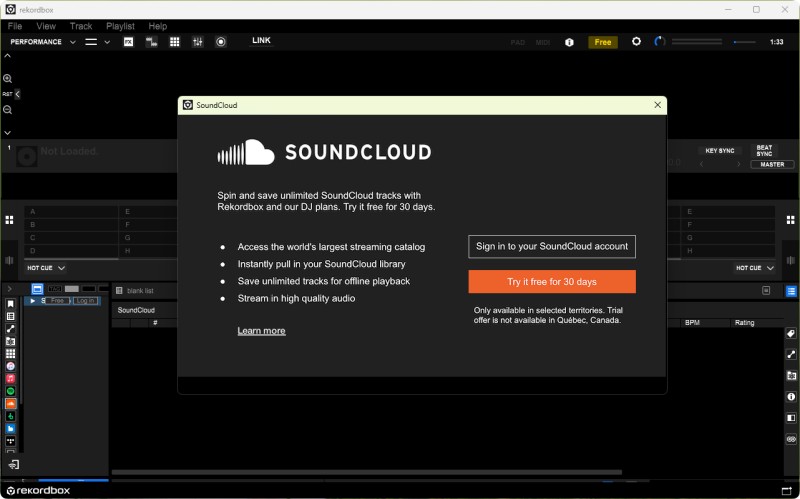
- Step 3. Browse SoundCloud tracks, playlists, or charts directly within Rekordbox. Drag a track or playlist to a deck to load it for mixing. Analyze tracks to generate BPM, waveforms, and cue points.
- Step 4. If using the SoundCloud DJ subscription, choose tracks, or playlists you would like to download offline, and then you can "Store Offline" in the track context menu.
Method 2: Download SoundCloud Music Manually and Add It to Rekordbox
You can also import tracks into Rekordbox by downloading songs manually from SoundCloud when the uploader allows it. This method provides local audio files, which enable offline performance and playlist organization. However, availability depends on the uploader's download permissions.
How to download songs manually from SoundCloud
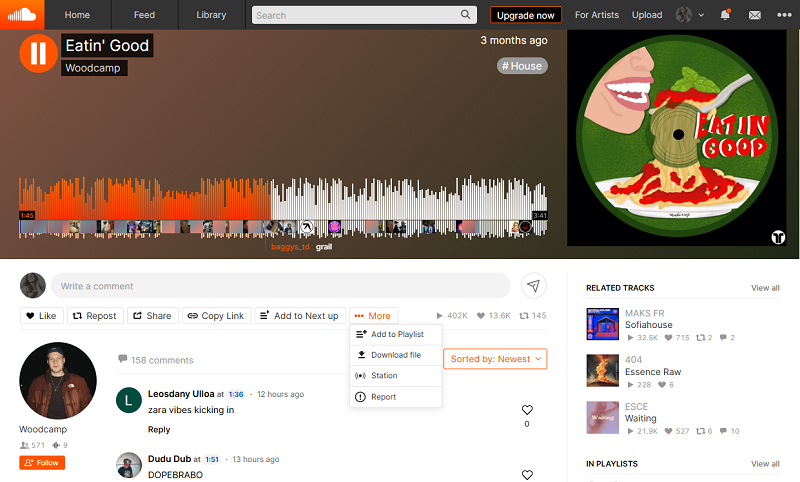
- Step 1. Open SoundCloud and locate a track with the "Download file" button enabled.
- Step 2. Click "Download file" to save the audio file (usually MP3 or WAV) to your computer.
- Step 3. Open Rekordbox and switch to Export mode, go to File > Import > Track/Folder, select your tracks. Click Open to import them into your Collection. You can also drag and drop the tracks to the deck directly.
Method 3: Download SoundCloud to Rekordbox for Offline Use with Macsome Music One
For DJs who want full offline access and complete control over their music library, using a third-party tool like Macsome Music One is a practical solution. This method lets you download entire playlists or individual tracks from SoundCloud into standard audio files, such as MP3, WAV, or AIFF, which can then be imported into Rekordbox. Once downloaded, you can organize the files into playlists, analyze BPM and waveforms, and export them to a USB device for live performances. It also allows you to prepare and play your tracks anywhere, without needing an internet connection, making it ideal for long-term library management.
Why Macsome Music One Is Recommended
- Download SoundCloud tracks, albums, and playlists offline, even without a subscription.
- Convert SoundCloud to MP3, WAV, FLAC, etc., which are all fully compatible with Rekordbox and USB export.
- Download playlists from SoundCloud, Spotify, Qobuz, YouTube, etc.
- Listen to or download podcasts and radios for free.
- Suitable for both SoundCloud Go+ and free users.
- Multiple tracks or entire playlists can be processed at once.
- Almost all the ID3 tags will be preserved.
- Remove vocals and instruments from music for free.
- Convert AA or AAX audiobooks to MP3, M4A, or M4B.
How to Download SoundCloud to Rekordbox-Compatible Formats
Step 1. Install and Launch Macsome Music One
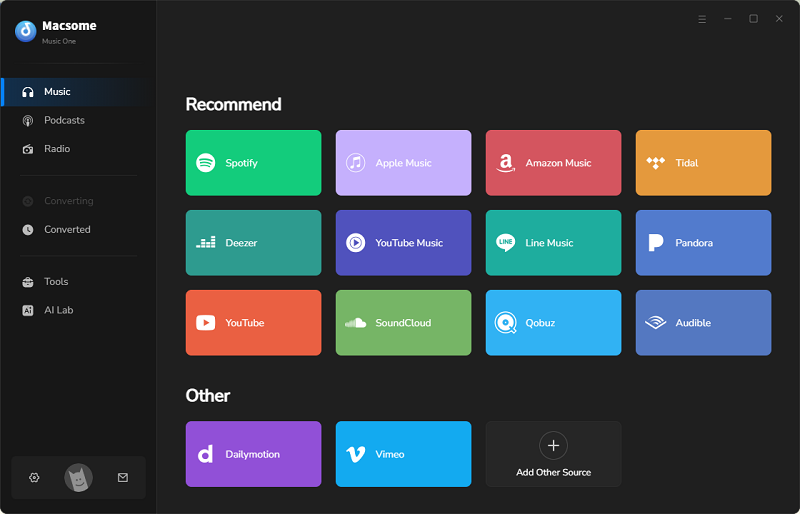
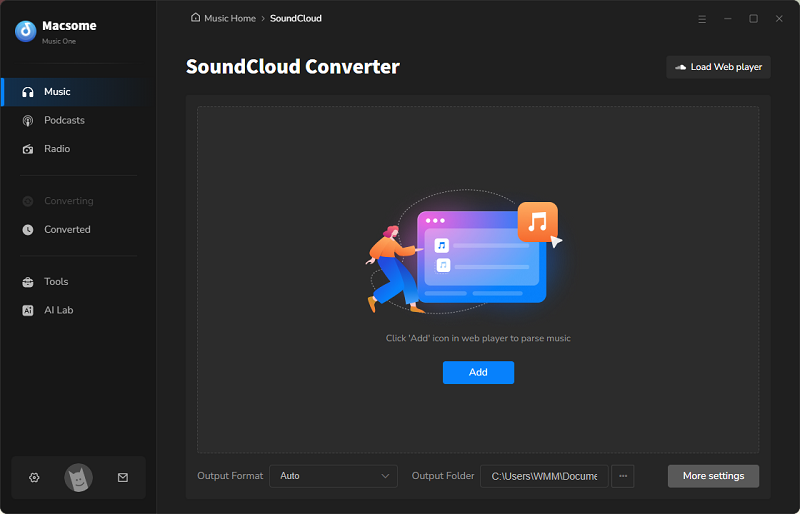
Download and install Macsome Music One on your computer. Open the app to access its main interface. Select the "SoundCloud" module, and the SoundCloud web player will launch. Log in to your SoundCloud account, whether it is free or paid.
Step 2. Choose Output Format and Quality
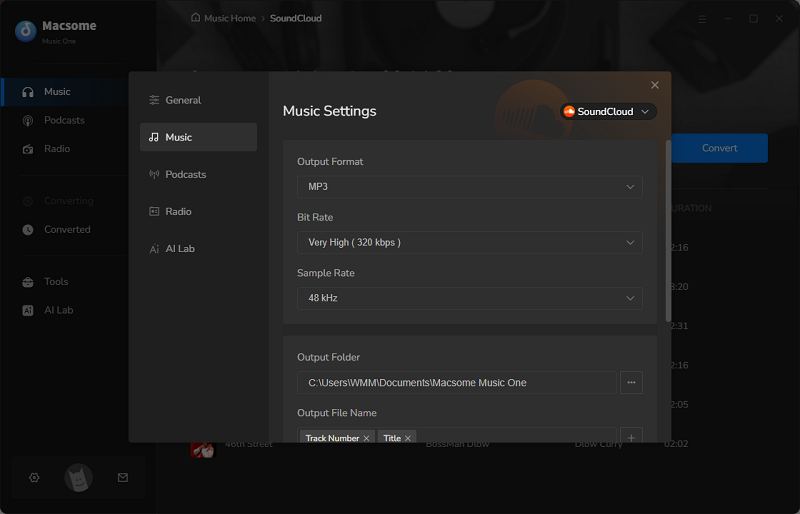
To open the settings window, click the "Settings" icon located in the bottom left corner of the screen. Select the output format, such as MP3, WAV, or AIFF, and choose your preferred audio quality. In addition to the output format, you can also customize the output quality, output file name, and output folder according to your specific preferences.
Step 3. Add SoundCloud Tracks, Albums, or Playlists
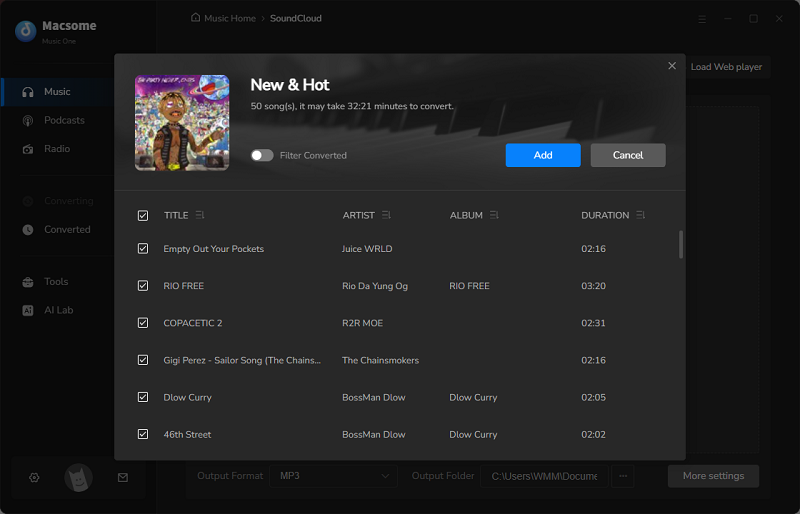
Browse in the SoundCloud web player, and select the track, album, or playlist you want to download. Press the "Click to add" button to import the tracks to Macsome. Then check the songs you want, and click the "Add" button to load them into the main window.
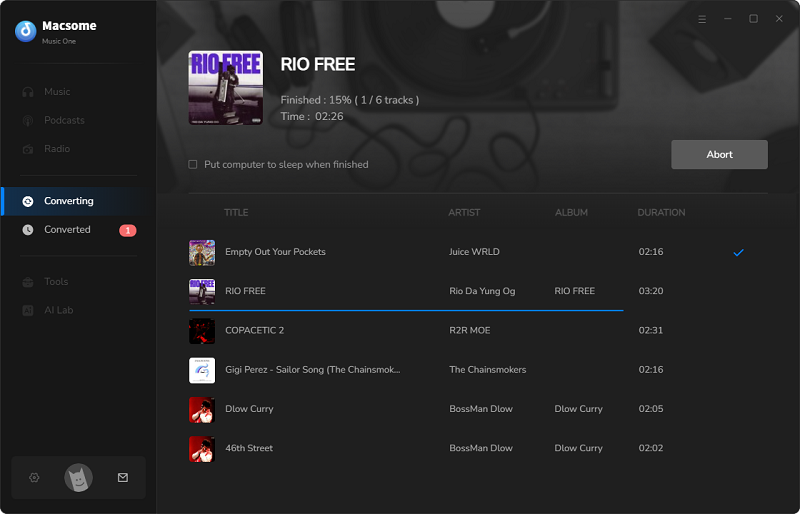
Step 4. Start Downloading SoundCloud Music
Click the "Convert" button. Macsome Music One will then save the music to your computer.
Step 5. Add SoundCloud Music to Rekordbox
Open Rekordbox on your computer. Then, navigate to your downloaded SoundCloud tracks or folder. Drag the tracks or folders directly into the Collection. Rekordbox will automatically analyze the BPM, waveform, and key.
Conclusion
There are several effective ways to import SoundCloud music into Rekordbox, depending on your DJ workflow and library management needs. Using a SoundCloud DJ subscription allows you to stream SoundCloud tracks directly in Rekordbox, but it comes with ongoing subscription fees. Manually downloading SoundCloud music gives DJs more control, yet only limited tracks are available for download, playlist downloads are not supported, and the process can be inefficient for large libraries. For DJs who want a stable and flexible SoundCloud to Rekordbox solution, Macsome Music One enables you to batch download SoundCloud tracks and playlists for offline use and seamlessly add them to Rekordbox, making it an ideal choice for long-term DJ preparation and professional performance.